Playtest
Welcome to deadHex
Whether you're a returning Hexor or joining us for the first time, here's how to access the deadHex playtest on Steam.
How to join the playtest
01
Make sure you're on a Windows PC that can run the game
The playtest runs on Windows only. Check the requirements before you install.
System requirements
Requires a 64-bit processor and operating system
Minimum Recommended OS Windows 10 Windows 10 Processor AMD Ryzen 7 5800X 8-core AMD Ryzen 9 5900X 12-core Memory 8 GB RAM 12 GB RAM Graphics NVIDIA GeForce GTX 1060 6GB NVIDIA GeForce GTX 2060 12GB DirectX Version 12 Version 12 Network Broadband Internet connection Broadband Internet connection Storage 3 GB available space 3 GB available space 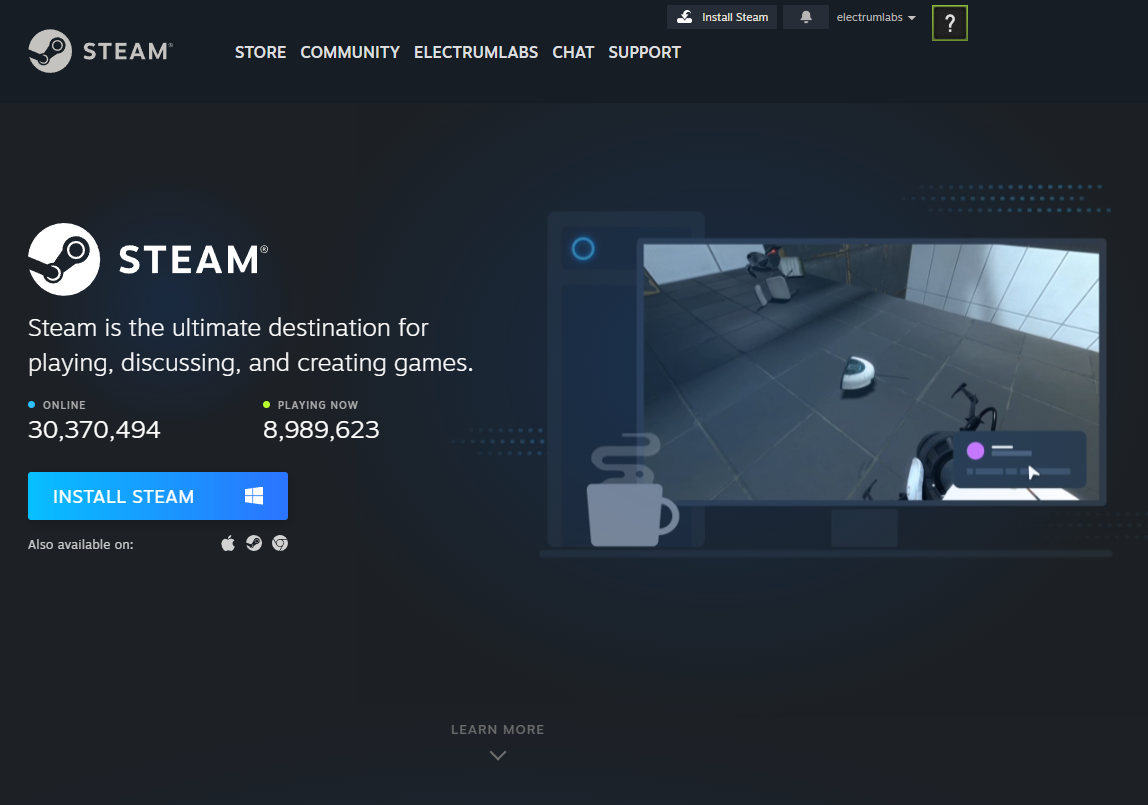

04
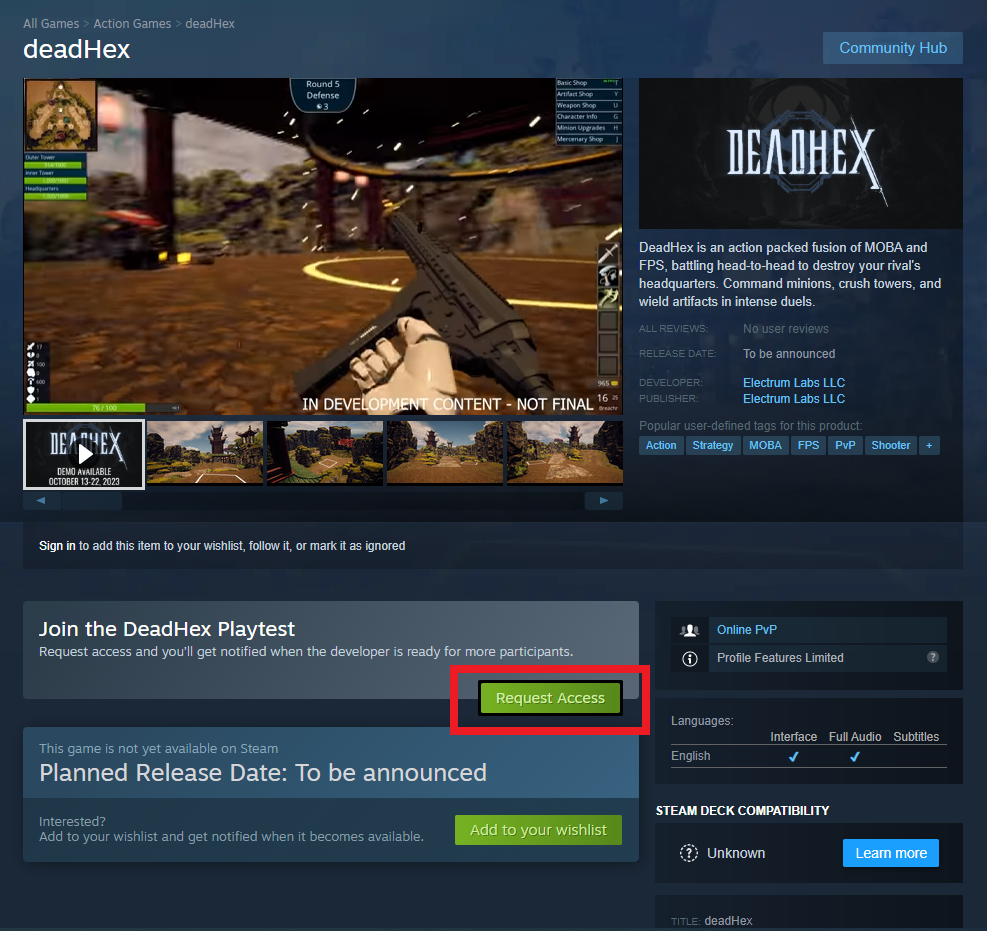
Click "Request Access" on the store page
Look for the green "Request Access" button in the playtest section and click it to join the playtest.
05
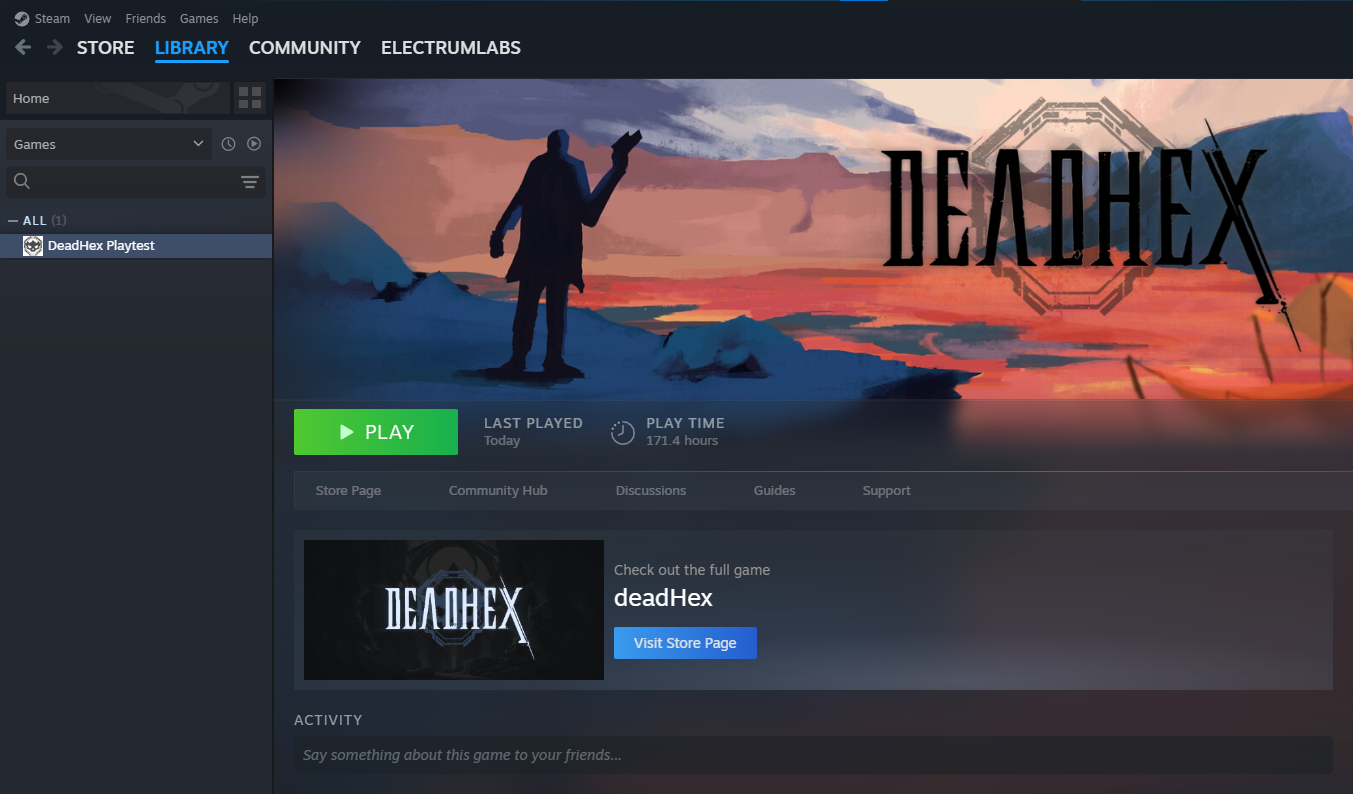
Once access is granted, download and launch the game from your Steam library
When you receive access, deadHex will appear in your Steam Library. Click the green "PLAY" button to launch!
Important
Even if you've played a past version of deadHex, you'll need this new Playtest version to participate going forward.
Need a hand?
If you're having trouble accessing the playtest or have any questions, reach out to us on Discord.
See you in the Hamlet, Hexors. — Electrum Labs